

TabLimit Pro – Smart Tab Limiter
/
CHROME EXTENSION
Transform Your Browsing Experience
TabLimit Pro revolutionizes how you interact with your browser by intelligently managing your open tabs. In today’s digital age, tab overload has become a universal problem affecting millions of users worldwide. Our extension addresses this challenge by providing sophisticated tab management tools that help you maintain focus, reduce digital clutter, and boost productivity. Whether you’re a student juggling research projects, a professional managing multiple work streams, or simply someone who wants a cleaner browsing experience, TabLimit Pro offers the perfect solution. Say goodbye to browser crashes, memory issues, and the overwhelming feeling of having too many tabs open simultaneously.
Smart Tab Limiting Technology
At the core of TabLimit Pro lies our intelligent tab limiting system that adapts to your specific needs. Set global tab limits that apply across your entire browser, or create window-specific limits for different browsing contexts. The extension continuously monitors your tab usage in real-time, providing instant feedback through your preferred notification style. Choose from discrete badge alerts, elegant toast messages, traditional browser alerts, or native system notifications. Our smart detection system automatically excludes extension pages from counting, ensuring accurate limit tracking. The technology works seamlessly in the background, never interrupting your workflow while maintaining complete control over your browsing environment.

Advanced Behavior Options
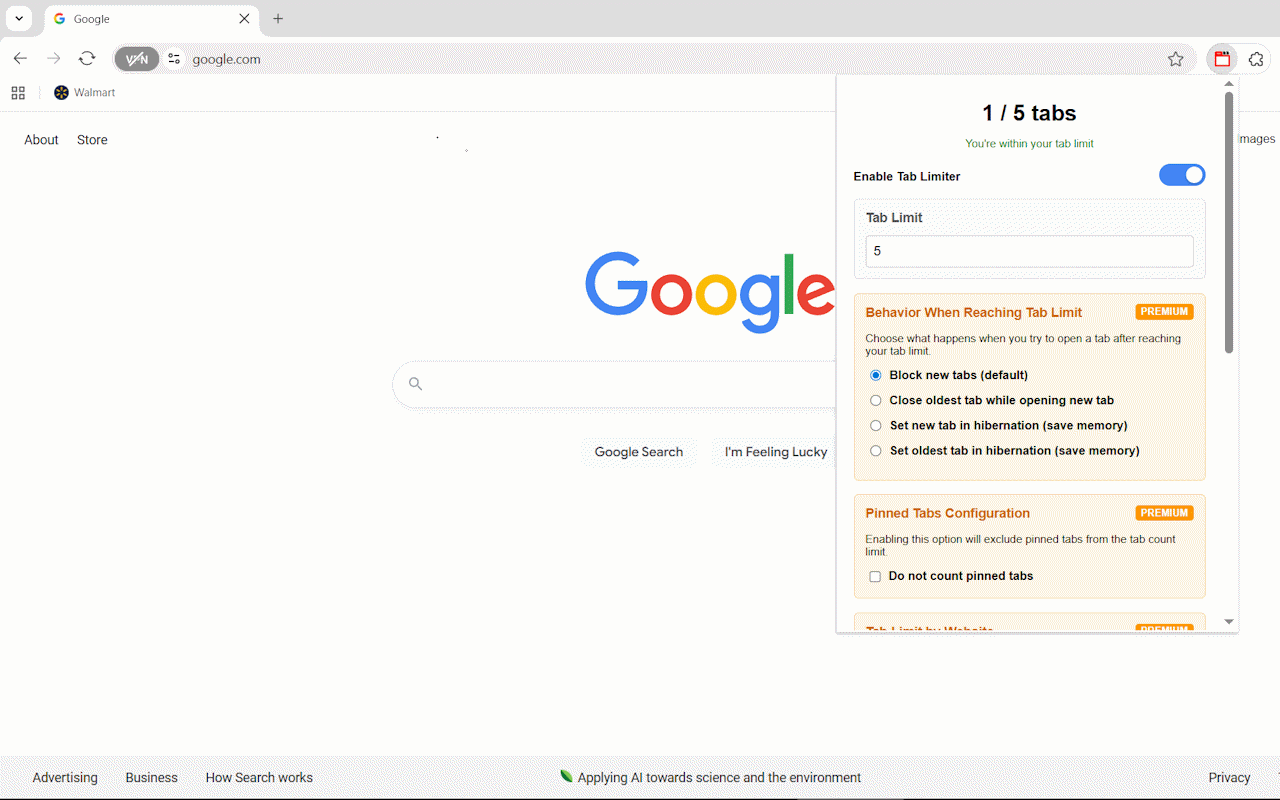
TabLimit Pro Premium unlocks powerful behavior options that go beyond simple tab blocking. Choose from four sophisticated response modes when reaching your limits: block new tabs with customizable warnings, automatically close your least recently used tabs, hibernate new tabs to save memory, or put your oldest tabs into hibernation mode. The hibernation feature is particularly innovative, allowing you to maintain access to important pages while dramatically reducing memory consumption. Each behavior mode can be fine-tuned to match your workflow, ensuring that TabLimit Pro enhances rather than disrupts your browsing patterns. These intelligent responses help maintain productivity while respecting your browsing preferences.
Site-Specific Control
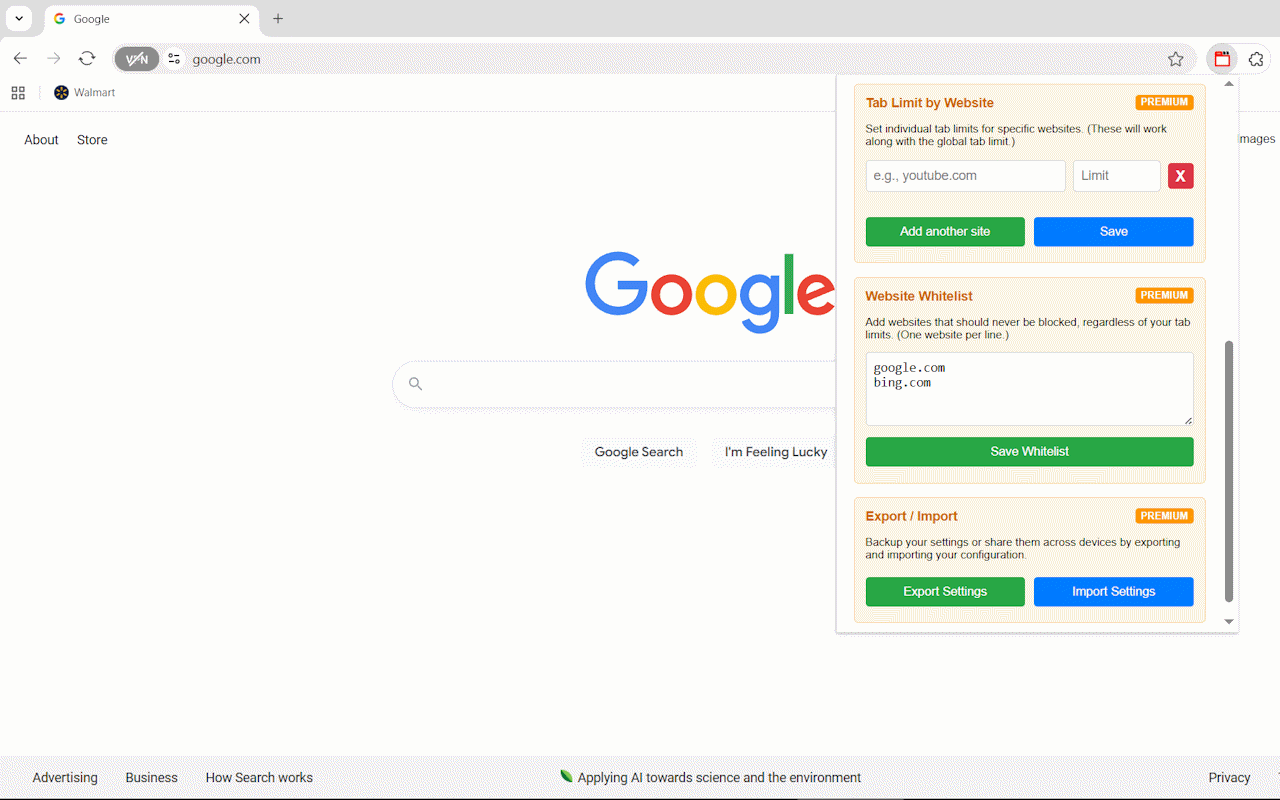
Premium users gain access to granular site-specific tab management, allowing unprecedented control over different websites. Set custom limits for social media platforms like YouTube or Facebook while maintaining unlimited access to work-related sites. The system supports both exact domain matching and intelligent subdomain detection, ensuring comprehensive coverage. For example, setting a limit for “youtube.com” automatically applies to “www.youtube.com” and “music.youtube.com.” This feature is perfect for maintaining work-life balance, limiting distracting websites during focused work sessions, or managing entertainment consumption. Create as many site-specific rules as needed, each with individual limits and behaviors tailored to your relationship with different online platforms.
Website Whitelist Protection
The whitelist feature ensures that your most important websites never interfere with your productivity goals. Add essential work tools like Gmail, Google Drive, Slack, or any business applications to your whitelist, and they’ll be completely excluded from all tab counting and restrictions. This intelligent exemption system recognizes both primary domains and all associated subdomains, providing comprehensive protection for multi-service platforms. The whitelist supports unlimited entries and can be easily modified as your workflow evolves. Whether you’re using cloud-based productivity suites, communication platforms, or specialized professional tools, the whitelist ensures these critical resources remain always accessible without contributing to tab limit calculations.
Memory Optimization Features
TabLimit Pro’s hibernation technology represents a breakthrough in browser memory management. When tabs are hibernated, they’re put into a dormant state that preserves their content while releasing system memory. This allows you to maintain access to dozens of pages without experiencing the performance degradation typically associated with heavy tab usage. Hibernated tabs retain their position, favicon, and title, making them easily identifiable and instantly reactivatable with a single click. The memory savings can be substantial – users often report 50-70% reduction in browser memory usage. This feature is particularly valuable for users with older computers, limited RAM, or those who frequently work with resource-intensive web applications.
Comprehensive Analytics Dashboard
Monitor your browsing patterns and productivity improvements through TabLimit Pro’s detailed analytics dashboard. Track metrics like total tabs opened, memory saved through hibernation, most frequently limited sites, and compliance with your self-imposed limits. The visual dashboard presents data through intuitive charts and graphs, helping you understand your browsing habits and identify areas for improvement. View statistics across different time periods, compare your performance week-over-week, and celebrate your progress toward more mindful browsing. The dashboard also provides insights into which sites consume the most tabs, helping you make informed decisions about site-specific limits and whitelist additions for optimal productivity balance.
Backup and Synchronization
Premium users benefit from comprehensive settings backup and synchronization capabilities, ensuring their perfectly tuned configuration is never lost. Export your complete settings profile including tab limits, site-specific rules, whitelist entries, behavior preferences, and notification settings into a portable JSON file. This backup can be imported on any device, making it easy to maintain consistent tab management across multiple computers. The export/import system is also perfect for sharing configurations with team members or family members who want to adopt similar browsing discipline. Regular backups protect against data loss during browser updates or system changes, providing peace of mind for users who have invested time in customizing their setup.
Privacy and Performance Commitment
TabLimit Pro operates with complete respect for user privacy, processing all data locally within your browser without any external data transmission. The extension only accesses tab information necessary for its core functionality and never collects, stores, or analyzes your browsing history or personal data. Built with performance optimization in mind, the extension uses minimal system resources while delivering maximum functionality. Our efficient code ensures that TabLimit Pro enhances rather than hampers your browsing experience. Regular performance audits and optimizations guarantee that the extension remains lightweight and responsive, regardless of how many tabs you’re managing or how complex your configuration becomes.

CodingDir is a premier development company, offering custom web, app, and AI solutions designed to boost efficiency, innovation, and business growth.
Copyright © 2024 CodingDir