TradeTuning – TradingView Strategy Optimizer and Backtesting Assistant

/
BROWSER EXTENSION
Automate Your TradingView Strategy Testing

Stop wasting hours manually testing parameter combinations on TradingView. This powerful Chrome extension automates the entire backtesting process for your PineScript strategies. Simply define your parameter ranges—stop loss levels, indicator periods, entry thresholds—and let the optimizer systematically test every combination while you focus on analysis. Watch results populate in real-time as each backtest completes. Whether you’re testing 50 combinations or 5,000, the extension handles everything automatically. No more clicking through settings one by one. Transform days of manual work into minutes of automated testing and discover your strategy’s true potential.


Comprehensive Performance Metrics at Your Fingertips

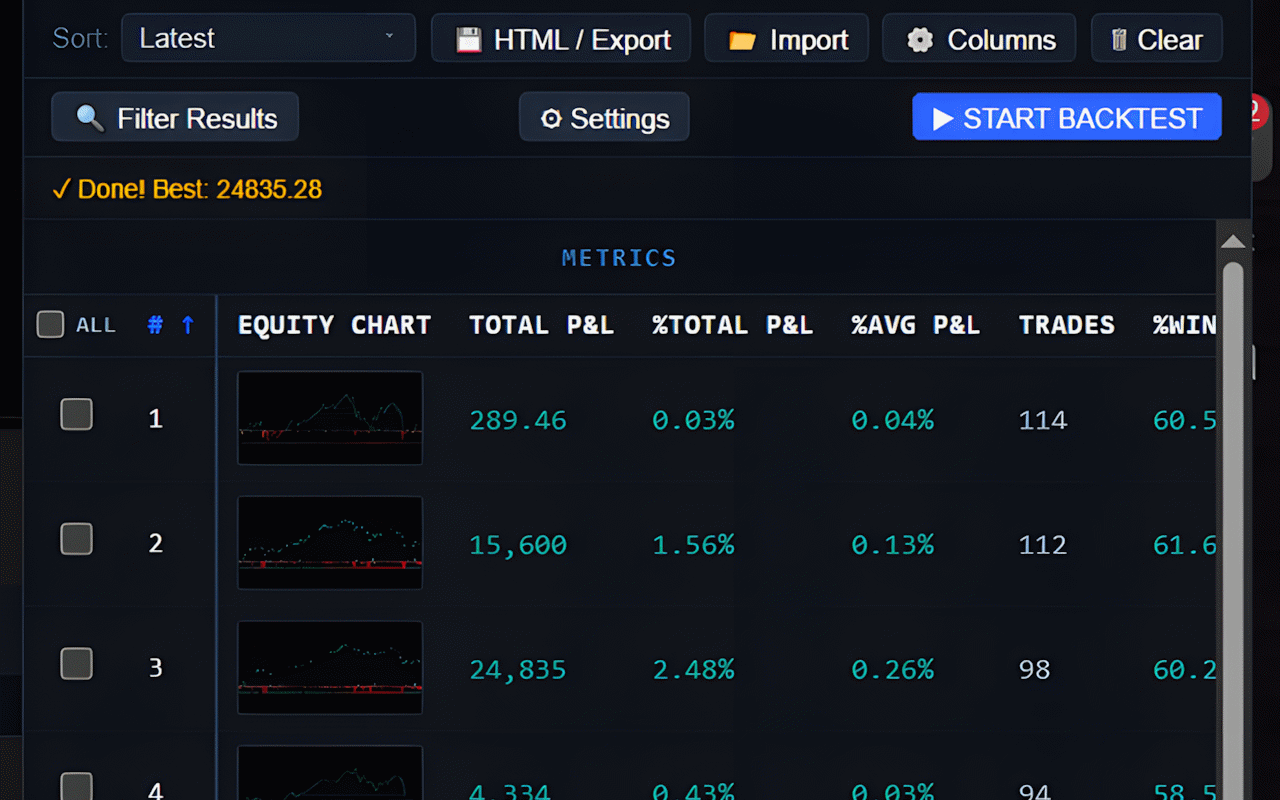
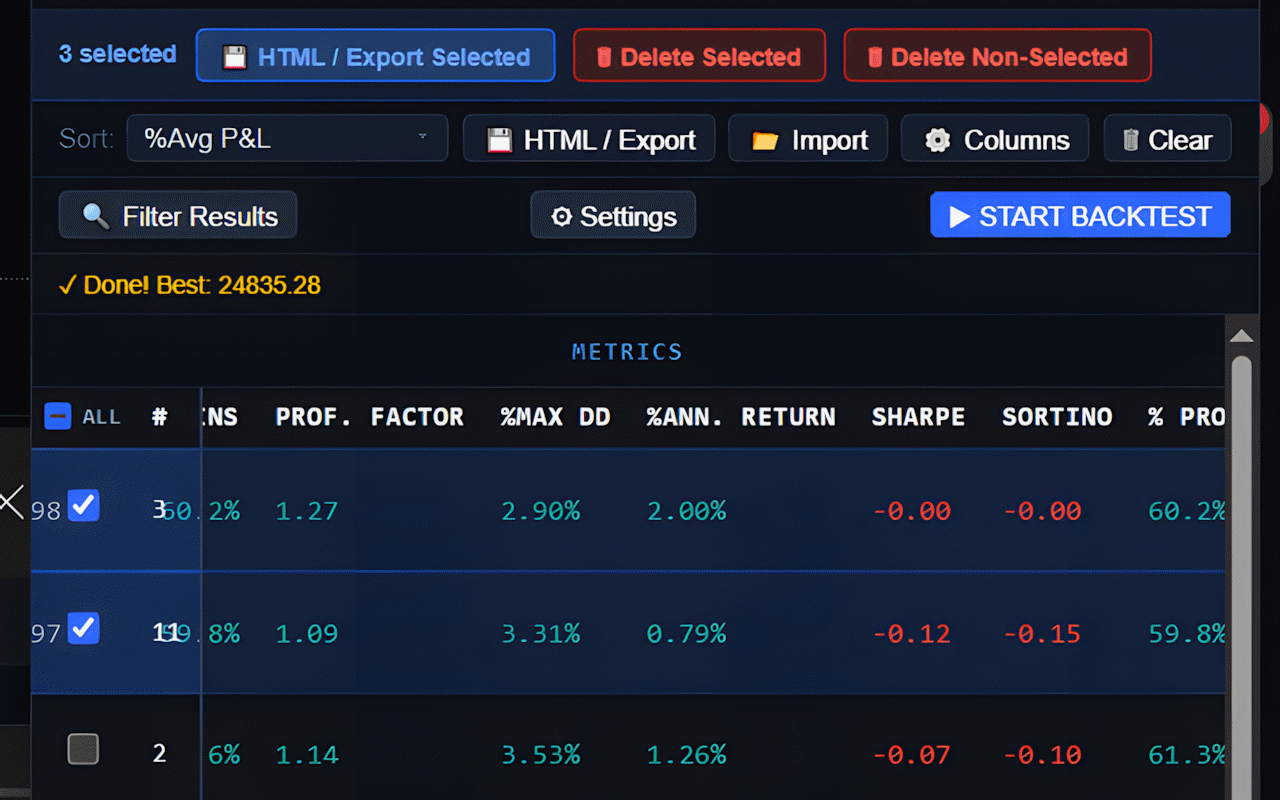
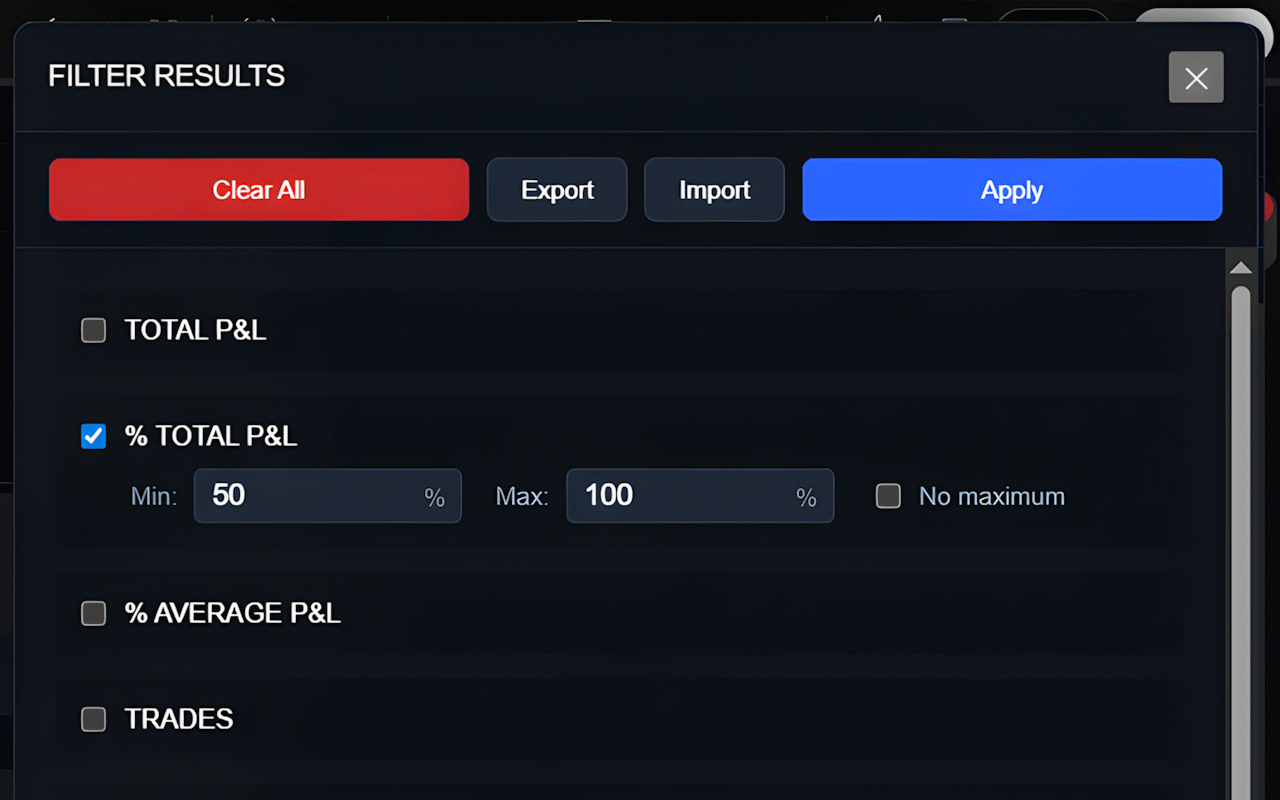
Every optimization run captures complete performance data from TradingView’s Strategy Tester: net profit, profit factor, win rate, maximum drawdown, Sharpe ratio, Sortino ratio, total trades, average P&L, and more. Results display in a sortable, filterable table that makes finding winners effortless. Want the highest profit factor? Sort by that column. Looking for high win rate strategies? One click reveals top performers. Each result includes an equity curve snapshot for visual quality assessment. Export everything to CSV for deeper analysis in Excel or your preferred tools. Filter out low-trade-count results to avoid overfitting. All results are automatically saved and organized by chart, asset, timeframe, and strategy name.


Smart Optimization Algorithms for Every Scenario

Choose between systematic grid search that tests every parameter combination, or random search that samples the parameter space for faster results on large ranges. Grid search guarantees you won’t miss optimal settings; random search delivers insights quickly when exploring thousands of combinations. Enable fast mode to skip detailed trade collection and run optimizations 3x faster for initial exploration, then re-test promising parameters in standard mode for full metrics. The extension includes intelligent recovery systems that detect when TradingView glitches during long runs and automatically refresh the Strategy Tester panel to continue testing. Smart progress tracking shows current combination, completion percentage, and estimated time remaining.


Seamless Integration with Your TradingView Workflow

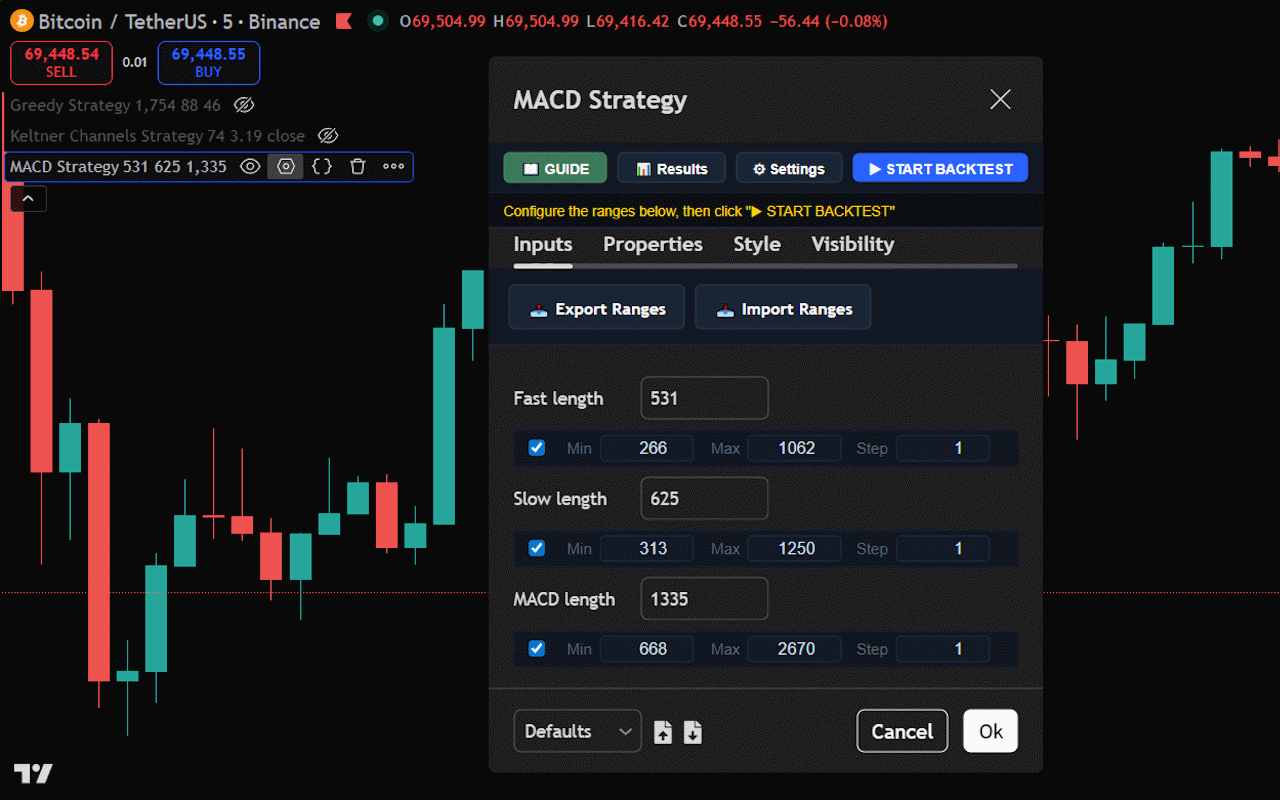
Works directly within your TradingView charts—no separate windows, no data exports, no complex setup required. Open your strategy settings dialog and the optimizer automatically detects all numeric parameters. Set minimum, maximum, and step values for each parameter you want to test, then click start. The extension integrates perfectly with TradingView’s interface, applying parameters, waiting for backtest completion, capturing results, and moving to the next combination—all automatically. Results persist across browser sessions so you never lose your work. Switch between charts and your optimization history stays perfectly organized. Compare new optimizations against historical runs to validate improvements and track your strategy development progress over time.


Flexible Plans for Every Trading Style

Start free with generous daily testing limits perfect for casual strategy development and learning parameter optimization fundamentals. Explore the complete feature set—grid search, random search, fast mode, CSV export, equity snapshots—without restrictions except daily cycle limits. When you’re ready to scale your strategy development to professional levels, upgrade to Premium for unlimited daily testing. Premium removes all restrictions, enabling comprehensive multi-parameter optimizations that can run overnight testing thousands of combinations. Choose monthly billing for flexibility or save with lifetime access. Both plans include all core features, automatic updates, and priority support to ensure your optimization workflow runs smoothly.